First Register on Comodo WAF website
https://accounts.comodo.com/cwaf/management/signup
Â
Install Mod_Security (Latest Version GIT)
cd /usr/local/src
ln -s /usr/local/apache/bin/httpd /usr/sbin/httpd
ln -s /usr/local/apache/bin/apachectl /usr/sbin/apachectl
useradd -d /usr/local/cwaf cwaf
yum install libtool -y
git clone https://github.com/SpiderLabs/ModSecurity.git modsecurity
cd modsecurity
sed -i '/AC_PROG_CC/a\AM_PROG_CC_C_O' configure.ac
sed -i '1 i\AUTOMAKE_OPTIONS = subdir-objects' Makefile.am
sh autogen.sh
./configure --with-apxs=/usr/local/apache/bin/apxs
make
make install
Â
Enable Mod_security Module in Apache
echo "LoadModule security2_module modules/mod_security2.so" >> /usr/local/apache/conf.d/modsec2_module.conf
Â
Restart Apache
service httpd restart
Â
Install Comodo WAF
cd /usr/local/src
yum install which -y
wget https://waf.comodo.com/cpanel/cwaf_client_install.sh
sh cwaf_client_install.sh
Â
Running the installation will ask few things as follows
Warning: Installed mod_security version 2.9.2 is NOT fully tested
OK
Not found LiteSpeed web server with mod_security enabled
OK
Not found Nginx web server with mod_security enabled
OK
No web host management panel found, continue in standalone mode?
Yes
Some required perl modules are missed. Install them? This can take a while
Yes
P:S It will take sometime to install perl modules
Enter CWAF login
Your registered email
Enter password for your login
Your password
Confirm password for your login
Confirm password
Enter absolute CWAF installation path prefix
Let it be same as /usr/local
Install into /usr/local/cwaf (WARNING: its content will be overwritten!) ?
Yes
If you have non-standart Apache/Nginx config path enter here
Leave it blank
Do you want to use HTTP GUI to manage CWAF rules?
Yes
Enter Port where HTTP GUI will listen on 127.0.0.1
5580
Existing username which will be used to run HTTP GUI from
cwaf
Do you want to protect your server with default rule set?
Yes
Â
Load Comodo WAF ruleset
sed -i 's|var/\log/\httpd|usr\/local/apache/logs|g' /usr/local/cwaf/etc/modsec2_standalone.conf
cp /usr/local/cwaf/etc/modsec2_standalone.conf /usr/local/apache/conf.d/modsec2_standalone.conf
Â
Restart Apache
service httpd restart
Â
Enabling Comodo WAF GUI
Install CGI Scripts Serving
yum update -y
yum install epel-release
yum install --enablerepo=epel fcgi-devel spawn-fcgi -y
cd /usr/local/src
git clone https://github.com/samboy/fcgiwrap.git
cd fcgiwrap
./configure
make
make install
Â
Copy paste all lines not one by one
cat > /etc/sysconfig/spawn-fcgi << "EOF"
FCGI_SOCKET=/var/run/fcgiwrap.socket
FCGI_PROGRAM=/usr/local/sbin/fcgiwrap
FCGI_USER=cwaf
FCGI_GROUP=cwaf
FCGI_EXTRA_OPTIONS="-M 0700"
OPTIONS="-u $FCGI_USER -g $FCGI_GROUP -s $FCGI_SOCKET -S $FCGI_EXTRA_OPTIONS -F 1 -P /var/run/spawn-fcgi.pid -- $FCGI_PROGRAM"
EOF
Start spawn-fcgi
service spawn-fcgi start
chkconfig spawn-fcgi on
Â
Enabling Comdo WAF Nginx Vhost
chown -R cwaf:cwaf /usr/local/cwaf
chown root:cwaf /usr/local/cwaf/scripts/suid
chmod 4755 /usr/local/cwaf/scripts/suid
mkdir -p /var/log/nginx
sed -i 's|127.0.0.1:9001|unix:/var/run/fcgiwrap.socket|g' /usr/local/cwaf/web/standalone/config/nginx/cwaf-standalone-gui.conf
sed -i 's|local/nginx|local\/cwpsrv|g' /usr/local/cwaf/web/standalone/config/nginx/cwaf-standalone-gui.conf
cp /usr/local/cwaf/web/standalone/config/nginx/cwaf-standalone-gui.conf /usr/local/cwpsrv/conf.d/cwaf.conf
Â
Restart CWP services
service cwpsrv restart
Â
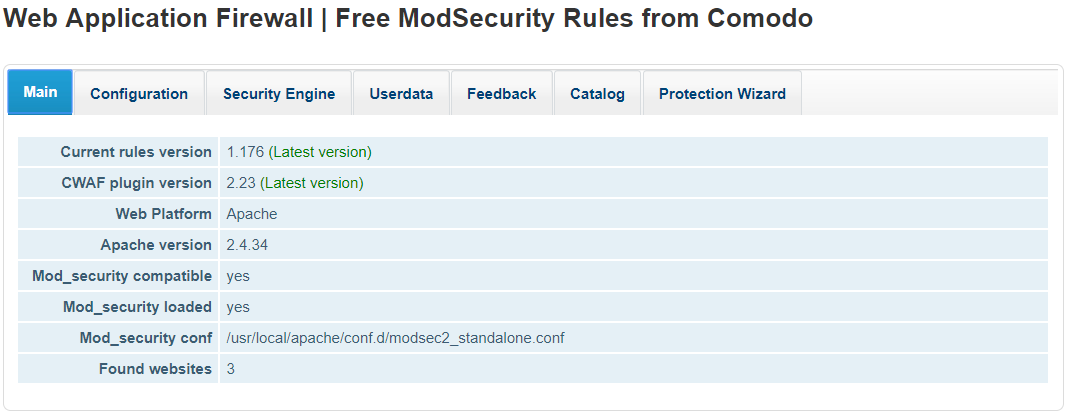
Access Comodo WAF GUI
http://yourserverip:5580
Â
If Found websites is showing no then run the command below.
sed -i '/my $domains = \[];/c\my $domains = &st_get_domainlist();' /usr/local/cwaf/modules/CPAN/lib/Comodo/CWAF/Standalone.pm
Â
if Mod_security conf is showing /usr/local/cwaf/etc/modsec2_standalone.conf then run the command below
sed -i 's|usr/local/cwaf/etc/modsec2_standalone.conf|usr\/local\/apache\/conf.d\/modsec2_standalone.conf|g' /etc/cwaf/main.conf
Â
Password Protecting CWAF GUI ( Replace yourusername yourpassword )
ln -s /usr/local/apache/bin/htpasswd /usr/sbin/htpasswd
htpasswd -bc /usr/local/cwaf/web/standalone/.htpasswd yourusername yourpassword
sed -i '\/usr\/local\/cwpsrv\/conf\/fastcgi_params/a \auth_basic_user_file /usr/local/cwaf/web/standalone/.htpasswd;' /usr/local/cwpsrv/conf.d/cwaf.conf
sed -i '\/usr\/local\/cwpsrv\/conf\/fastcgi_params/a \auth_basic "Restricted";' /usr/local/cwpsrv/conf.d/cwaf.conf
Â
Restart CWP Server
service cwpsrv restart
Uninstalling Comodo WAF Completely
service spawn-fcgi stop
userdel -r -f cwaf
yum remove fcgi-devel spawn-fcgi -y
rm -rf /etc/cwaf
rm -rf /var/log/CWAF
rm -rf /var/log/nginx/cwaf-standalone_access.log
rm -rf /var/log/nginx/cwaf-standalone_error.log
rm -rf /usr/local/src/modsecurity
rm -rf /usr/local/src/cwaf_client_install.sh
rm -rf /usr/local/src/fcgiwrap
rm -rf /usr/local/sbin/fcgiwrap
rm -rf /usr/local/man/man8
rm -rf /etc/sysconfig/spawn-fcgi
rm -rf /usr/local/apache/modules/mod_security2.so
rm -rf /usr/local/cwpsrv/conf.d/cwaf.conf
rm -rf /usr/local/apache/conf.d/modsec2_module.conf
rm -rf /usr/local/apache/conf.d/modsec2_standalone.conf
Â
Restart Services after uninstall
service cwpsrv restart
service httpd restart
